The paper of record for Chrome
Guides and Solutions for Chrome users.
Seventeen years of Chrome know-how, rebuilt for how you actually learn. Read it in ninety seconds — or watch it happen. Same page, your call.
-

52 Google Chrome Tips and Tricks
52 Google Chrome tips and tricks, rewritten for 2026 and verified against Chrome 151 — Split View, vertical tabs, tab search, omnibox @ shortcuts, Memory Saver,…
Latest guides
-
How to Stop Forced Split Screen in Chrome for Android
Stop Google Chrome forcing split screen on an Android tablet or foldable by collapsing the split view, clearing cached ghost windows, and opening tabs…
-
Fix STATUS_ACCESS_VIOLATION in Chrome: Every Working Solution
Chrome crashes with STATUS_ACCESS_VIOLATION on the Aw, Snap page. Here’s what the error means, how to find which of the four causes is yours,…
-

How to Hide the Permanent Bookmarks Bar on Chrome’s New Tab Page
For minimalist users who like a clean browsing interface, a recent Google Chrome update has introduced a frustrating UI layout: the Bookmarks Bar is…
-
How to Remove Chrome’s Hidden 4GB AI Storage (weights.bin)
Users on Windows, macOS, and Linux have recently discovered a massive file taking up nearly 4GB of local disk space. The file, named weights.bin,…
-
Fix the STATUS_STACK_BUFFER_OVERRUN “Aw, Snap!” Error in Google Chrome
The STATUS_STACK_BUFFER_OVERRUN error is a browser crash that triggers Chrome’s “Aw, Snap!” page. This error code indicates that Chrome encountered a serious memory handling…
-
YouTube Error Code 152-13: What It Means and How to Fix It
“This video is unavailable. Error code: 152-13” means Chrome on Android could not play an embedded video and is pushing you to the YouTube…
-
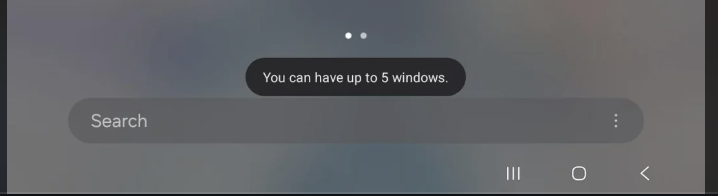
Fix Chrome Android Error: ‘Unable to launch Chrome (You can have up to 5 windows)’
Chrome for Android refuses to open and shows “Unable to launch Chrome. You can have up to 5 windows.” Close every Chrome window in…
-
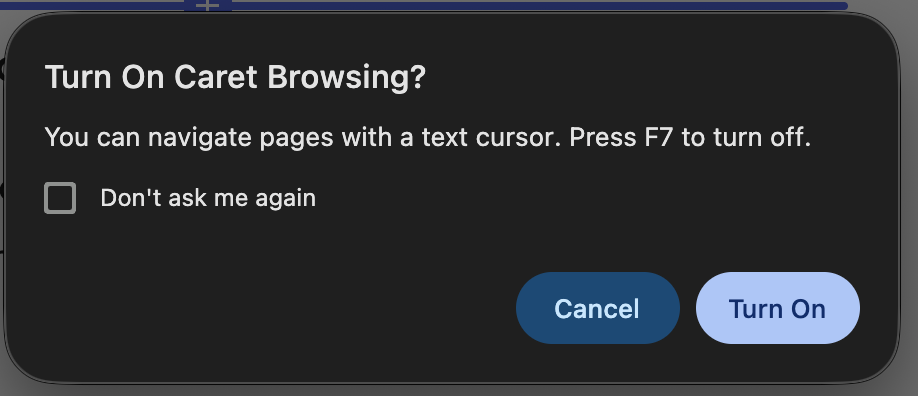
How to Turn Off the Blinking Text Cursor on Web Pages in Chrome
If a blinking vertical text cursor (similar to the one in Microsoft Word or Google Docs) suddenly appears whenever you click on text, images,…

The channel behind the fixes.
Every guide is becoming a video. Subscribe once and the Watch button lights up across the whole archive.