The paper of record for Chrome
Guides and Solutions for Chrome users.
Seventeen years of Chrome know-how, rebuilt for how you actually learn. Read it in ninety seconds — or watch it happen. Same page, your call.
-

52 Google Chrome Tips and Tricks
52 Google Chrome tips and tricks, rewritten for 2026 and verified against Chrome 151 — Split View, vertical tabs, tab search, omnibox @ shortcuts, Memory Saver,…
Latest guides
-

How to Save All Open Tabs in Google Chrome at Once
Press Ctrl+Shift+D to save all open tabs in Chrome as bookmarks, or use saved tab groups. Here is every way to keep your tabs…
-

Work vs. Personal: How to Use Multiple Chrome Profiles the Right Way
Chrome profiles keep work and personal browsing fully separate, with their own bookmarks, extensions, and history. Here is how to set them up right.
-

How to Create a Video Overview in NotebookLM (2026)
Learn how to create a Video Overview in NotebookLM. Open the Studio panel, pick a format and language, and generate a narrated video from…
-

How to Make an Audio Overview in NotebookLM (Podcast)
Turn your notes into an AI podcast. Here is how to make an Audio Overview in NotebookLM, customize its length and format, join the…
-

How to Turn Off AI Mode in Chrome’s Address Bar
AI Mode taking over your Chrome address bar? Here is how to turn off the AI Mode button and shortcuts in Chrome using a…
-
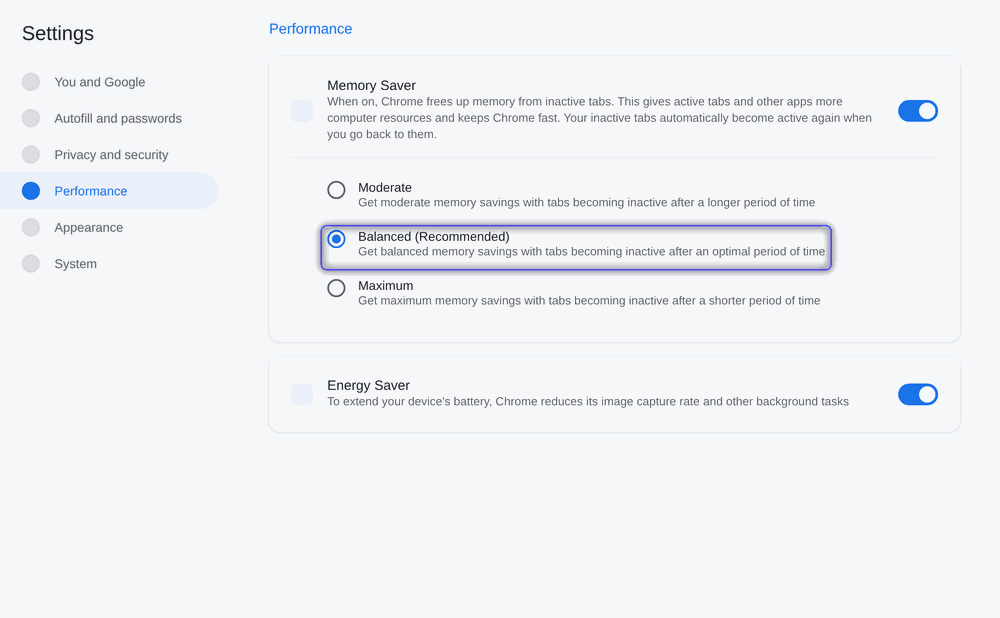
Make Google Chrome Faster in 2026: The Ultimate Guide
Chrome feeling slow? This 2026 guide walks through every native speed control and safe performance flag to cut lag, save memory, and make Chrome…
-

Fix ERR_CACHE_MISS in Chrome: What It Means and 8 Ways to Clear It
ERR_CACHE_MISS means Chrome could not load a page from its cache. Here are 8 simple ways to clear it, from a quick reload to…
-

Fix ERR_SSL_PROTOCOL_ERROR in Chrome: 9 Working Solutions
ERR_SSL_PROTOCOL_ERROR means Chrome could not make a secure connection. Here are 9 quick fixes, from checking your clock to resetting Chrome.
The channel behind the fixes.
Every guide is becoming a video. Subscribe once and the Watch button lights up across the whole archive.