
By default, the tabs search icon and the panel appears on the elft side of your Chrome window. In this article, I’ll show you how to move it to the right side.
Google Chrome now offers a nifty tab search feature. It lists your open tab and recently closed tabs with a search box to find what your are looking for.
Note: This feature is currently available only if you enable the flag: Tab Search Position Setting.
Mmove the “Search Tabs” Button Back to the Right Side
To move the search tabs position:
- From thechClick the three-dots settings menu.

- Choose Settings.
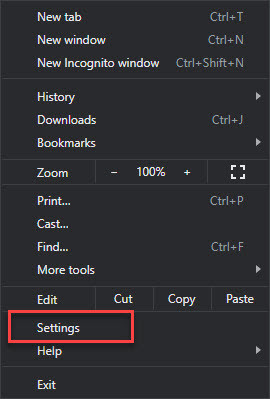
- From the left panel, choose Appearance.

- From the Tab search position drop-down, select one of the following: Show on let or Show on right.

- Select Relaunch. Chrome restarts with the new tab search position.

Did you get your tab search icon and search box moved? Let me know in the comments field below.


Leave a Reply